Flight Itinerary Template for Visa Applications — Free Examples and How to Get One (2026)
If you’re preparing a visa application and searching for a flight itinerary template, you’ve come to the right place. Whether it’s for a Schengen visa, UK visitor visa, US B-1/B-2, or Canadian TRV — almost every embassy asks for proof of your flight plans before approving your visa. And no, you don’t need to buy a real ticket first.
This guide explains exactly what a flight itinerary is, what it needs to include, free template examples, and the fastest way to get a professional one ready for your application today.
By TravelDocGenerator | Updated: May 03, 2026 | 5 min read

GDS format flight itinerary PDF
A flight itinerary template is the most important document you can prepare before submitting your visa application. Using a professional flight itinerary template saves time, reduces errors, and gives your application instant credibility with embassy officers worldwide.
Quick Note
⚠️ Important: Embassies do NOT require a paid flight ticket before approving your visa. A professionally formatted flight itinerary is accepted as proof of travel intent. Only buy your real ticket AFTER your visa is approved.
What Is a Flight Itinerary? (And Why Do Embassies Want One?)
A flight itinerary is a document that shows your planned travel — your departure city, destination, flight dates, airline, and passenger name. It’s sometimes called a flight reservation, dummy ticket, or travel itinerary depending on where you’re applying.
Here’s the thing most applicants don’t know: embassies don’t require you to buy a real ticket before your visa is approved. What they actually want is proof of your intended travel. A properly formatted itinerary document satisfies that requirement completely.
The confusion around terms like “dummy ticket,” “flight reservation,” and “flight itinerary” is completely understandable. They all mean the same thing in visa language — a document showing your flight plans. The key is that it needs to look professional and include all the right information.
What Does a Flight Itinerary Template Need to Include?
Not all templates are equal. A basic Word document or Google Sheets table won’t cut it for most embassies. Your flight itinerary needs to be formatted in a way that visa officers recognise immediately. Here’s what every proper itinerary must contain:
Passenger Information
- Full name (exactly as it appears on your passport)
- Passport number (some embassies require this)
- Date of issue
Flight Details (Per Segment)
- Airline name and flight number
- Departure city and airport code (e.g. JFK, LHR)
- Arrival city and airport code
- Departure date and time
- Arrival date and time
- Flight duration
- Cabin class (economy, business, etc.)
Booking Reference
- A booking or reference number
- Baggage allowance
If you’re making a template yourself in Word or Google Sheets — this is the minimum you need. The problem? Homemade templates often look unofficial and can raise questions during visa processing.
That’s why most experienced travellers now use a GDS-format flight itinerary generator instead of building one from scratch.
Making a Travel Itinerary for Visa Applications in Word
Plenty of applicants start in Word or Google Docs simply because it’s what they have open. If that’s you, build a simple table with one row per flight segment and include the same fields embassies expect: passenger name as it appears on your passport, airline and flight number, departure and arrival cities with airport codes, dates and times, and a booking reference.
Keep the formatting plain and consistent — same font, same table style throughout — since a cluttered or mismatched layout is what tends to make a homemade document look unofficial.
Once you have the content worked out, you can run it through the travel itinerary generator to get it into a cleaner, consulate-ready format. As always, check your specific consulate’s document requirements before you submit, since formatting expectations can vary.
Free Flight Itinerary Template Examples
Here’s a basic flight itinerary template structure you can use as a reference:
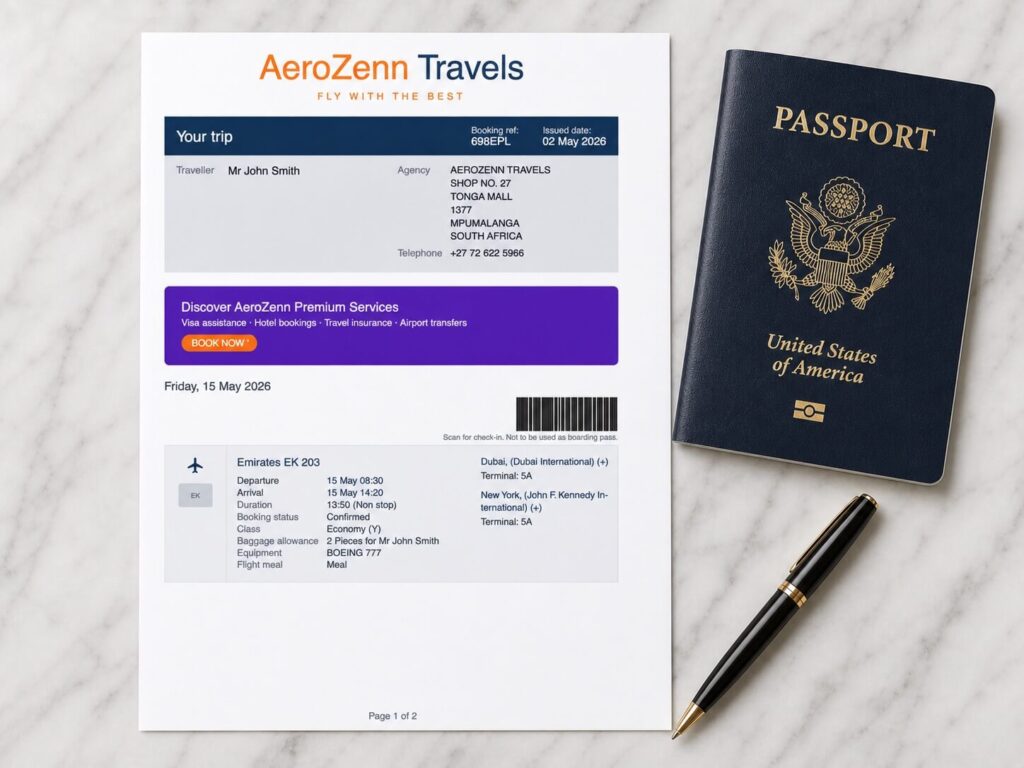
This gives you the idea — but remember, the format matters just as much as the content. A clean, professional PDF looks far more credible than a plain text document. Embassy officers review hundreds of applications a week. A document that looks professional gets processed smoothly.
Building Your Own Free Flight Itinerary for a Visa Application
If you want to put together a flight itinerary for your visa application without paying for a generator, you can do it yourself — it just takes more care. Use the passenger details, per-segment flight information, and booking reference fields listed above as your checklist, and lay them out clearly in a document so a visa officer can scan it in seconds.
The trade-off with a free, self-made itinerary is presentation. Embassy staff review a high volume of applications, and a document that looks inconsistent or hand-typed can draw more scrutiny than one formatted like a standard airline or travel-agency booking.
If you’d rather skip the formatting work, the travel itinerary generator handles the layout for you — check the tool page directly for current pricing, since it may change.
Is There a Free Flight Itinerary Generator?
TravelDocGenerator’s GDS-format flight itinerary tool isn’t free — as noted above, it’s a small one-time fee per document. If you’re looking for a no-cost option, the free route is to build your own itinerary using the passenger and flight-segment fields listed earlier in this guide, formatted as cleanly as you can in a word processor or spreadsheet.
That’s a reasonable starting point for most applications. The main thing you lose without a generator is the GDS-style formatting that visa officers are used to seeing from travel agencies, which is why many applicants switch to a paid tool once they’ve drafted the content themselves.
Pricing on tools like this can change, so confirm the current cost on the travel itinerary generator page before you decide which route to take.
GDS Format — What It Is and Why It Matters
GDS stands for Global Distribution System. It’s the technical booking system that real travel agencies use worldwide to issue flight reservations. When your flight itinerary is formatted in GDS style — with the proper layout, booking codes, and structured fields — it looks identical to what a licensed travel agent would produce.
This is important because visa officers are trained to recognise this format. A GDS-format flight itinerary carries instant credibility. It doesn’t look like a self-made document — it looks like a legitimate travel booking.
You can create a professional GDS-format flight itinerary for your visa application using the flight itinerary generator at TravelDocGenerator. It generates a clean, embassy-ready PDF in under 3 minutes — for $3 per single passenger or $5 for a group of up to 6 people.
Dummy Flight Ticket vs Flight Itinerary — What's the Difference?
You’ll hear both terms constantly when researching visa documents. Here’s the simple explanation:
Dummy flight ticket = informal term used mostly in South Asia and Africa. Refers to a placeholder flight booking made for visa purposes without buying a real ticket.
Flight itinerary = the formal, professional term used by embassies and travel agencies. Same document, different name.
Both terms describe the same thing — a flight reservation document for visa application purposes. When someone searches for a “dummy flight ticket free” or “dummy flight ticket for visa,” they’re looking for exactly what a flight itinerary provides.
The important distinction is quality. A properly formatted GDS-style itinerary — not a rough Word document — is what gives visa officers confidence in your application.
Which Visas Accept a Flight Itinerary?
The good news is that a professional flight itinerary is accepted for the majority of the world’s most applied-for visas:
- Schengen Visa — France, Germany, Italy, Spain, Netherlands, and all 27 Schengen countries
- UK Standard Visitor Visa
- US B-1/B-2 Tourist and Business Visa
- Canada Tourist Visa (TRV)
- UAE Visit Visa
- Australia Tourist Visa
- South Africa Tourist Visa
In most cases, you only need a confirmed real ticket after your visa is approved. Submitting an itinerary during the application stage is standard practice worldwide.
Do You Also Need a Hotel Booking Proof?
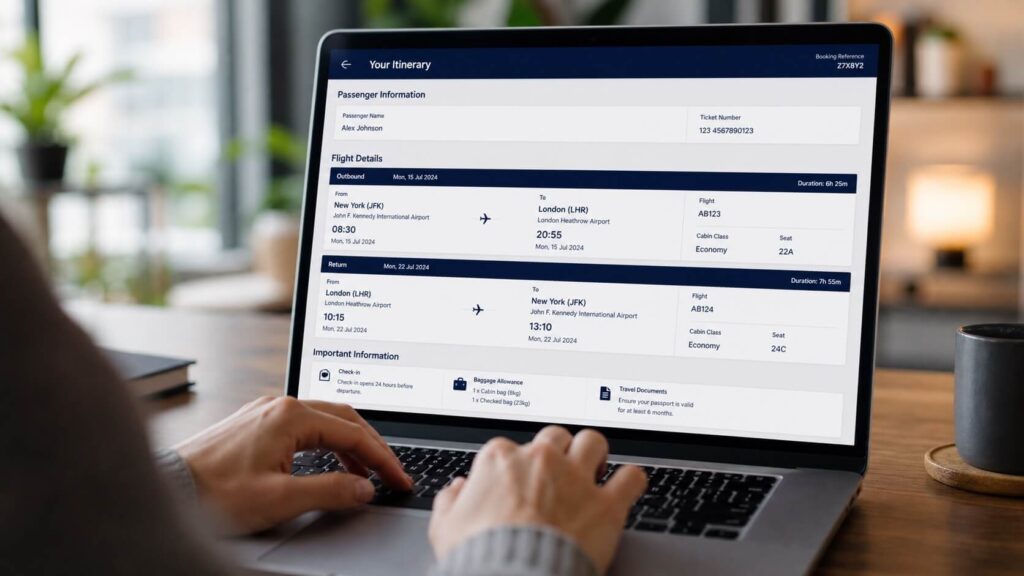
Yes — most embassies that ask for a flight itinerary will also want proof of accommodation. This is a separate document showing where you’ll be staying during your visit.
If you need one, you can generate a professional hotel booking proof for visa using TravelDocGenerator’s free hotel booking generator. It creates a clean, formatted PDF with your accommodation details — no real booking required.
Having both your flight itinerary and hotel booking proof ready puts your visa application in a much stronger position.
Get Your Flight Itinerary PDF in 3 Minutes
Stop searching for templates and spending hours building documents in Word. The fastest and most professional way to get a visa-ready flight itinerary is to generate one directly.
At TravelDocGenerator’s Flight Itinerary Generator, you can:
- Enter your passenger details and flight information
- Add multiple flight segments for connecting or multi-city trips
- Pay securely via Gumroad — $3 for single passenger, $5 for groups up to 6
- Download your GDS-format PDF instantly
Your itinerary will include all the fields embassies look for — passenger name, booking reference, airline, flight numbers, routes, times, and baggage allowance — in a clean, professional format that looks exactly like a real travel agency booking.
If you want to browse all free visa document tools as well, visit the TravelDocGenerator all tools page to see what else is available for your visa application.
Create Travel Documents Online
Use free online tools to prepare your itinerary, hotel booking proof, passport photo, or letterhead document.
Ready to prepare your visa documents?
Generate itineraries, hotel booking proofs, passport photos and more in minutes - free.